Documentation / Build browser tests
Build browser tests
A test is an ordered list of browser steps that run against one verified website. Create a test from the website page in the dashboard, then add steps.
Open a page
The open-page step (shown as goto in the dashboard) opens a path on your verified site. Enter a path starting with /—for example /login or /search?q=test—not a full URL. WebTestrunner resolves the path against your website's base URL so tests cannot wander off your domain.
Navigation must receive an HTTP 2xx status. Redirects that end in an error status fail the step. Redirects that leave your verified website origin or base path also fail the step.
Interact and assert
Paid plans unlock the full step set:
- click — click an element matched by a CSS selector. If the click navigates or redirects off your verified website, the step fails
- fill — type a value into an input matched by a CSS selector
- assertVisible — fail if the selector is not visible
- assertText — fail if the element's text does not contain the expected string
The free tier allows a single open-page step. Use it to confirm a critical path (home, login, pricing) returns successfully each week.
Pick a selector from the page
For click, fill, and assert steps on paid plans, you can capture the page after your existing steps and click the element you want—no hand-writing CSS required.
- Choose a step type that needs a selector (for example
click). - Click Pick from page. WebTestrunner replays your current steps, then shows a screenshot.
- Click the control on the image. Confirm with Use selector—the CSS selector fills into the form.
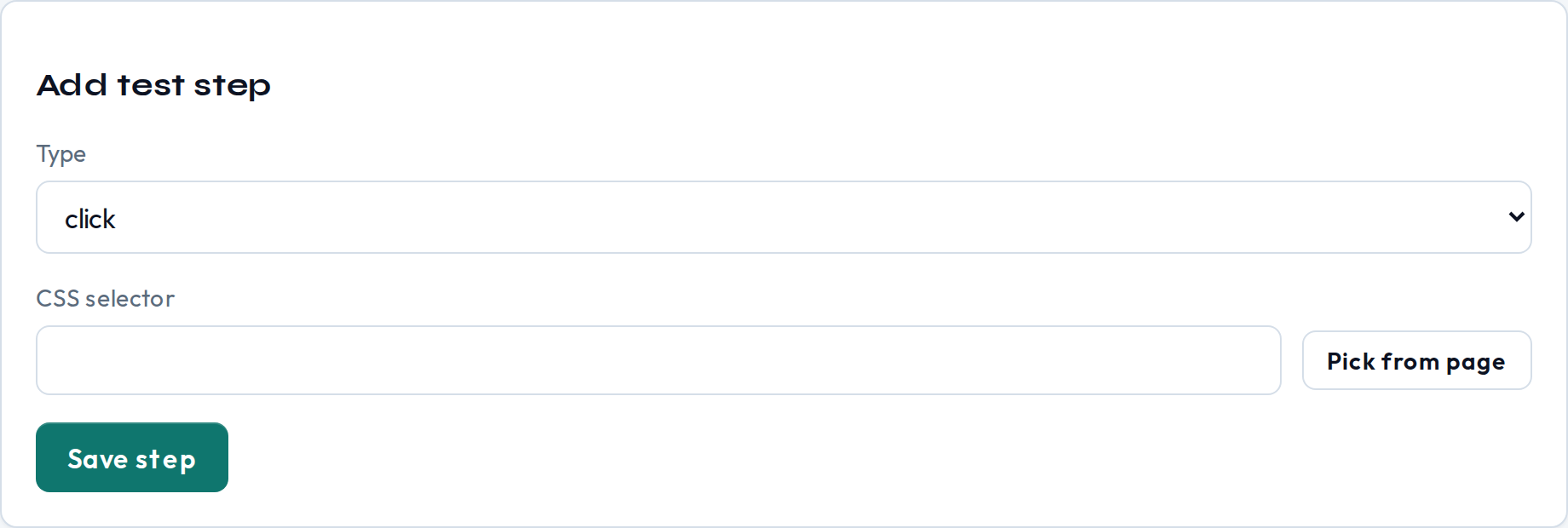
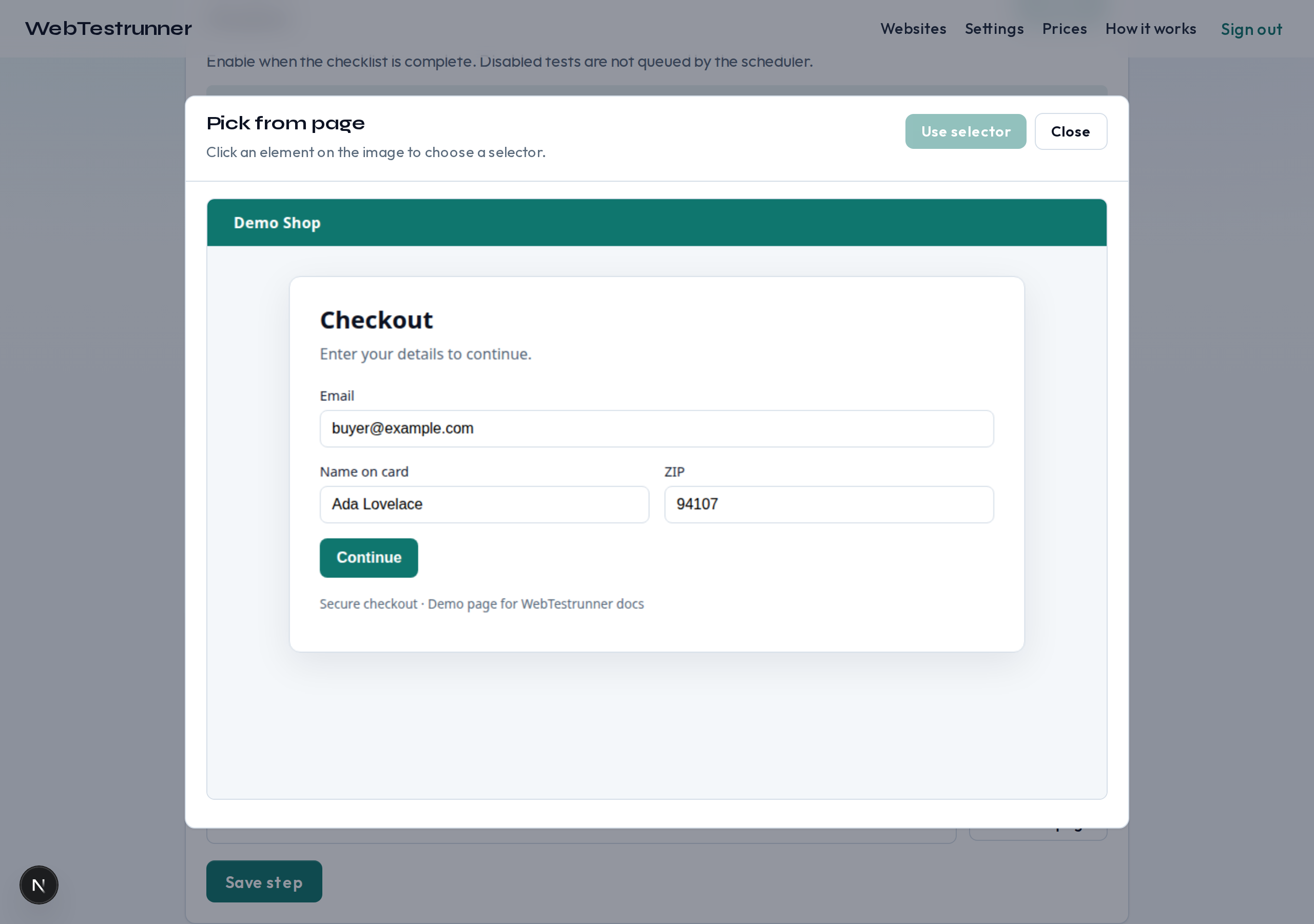
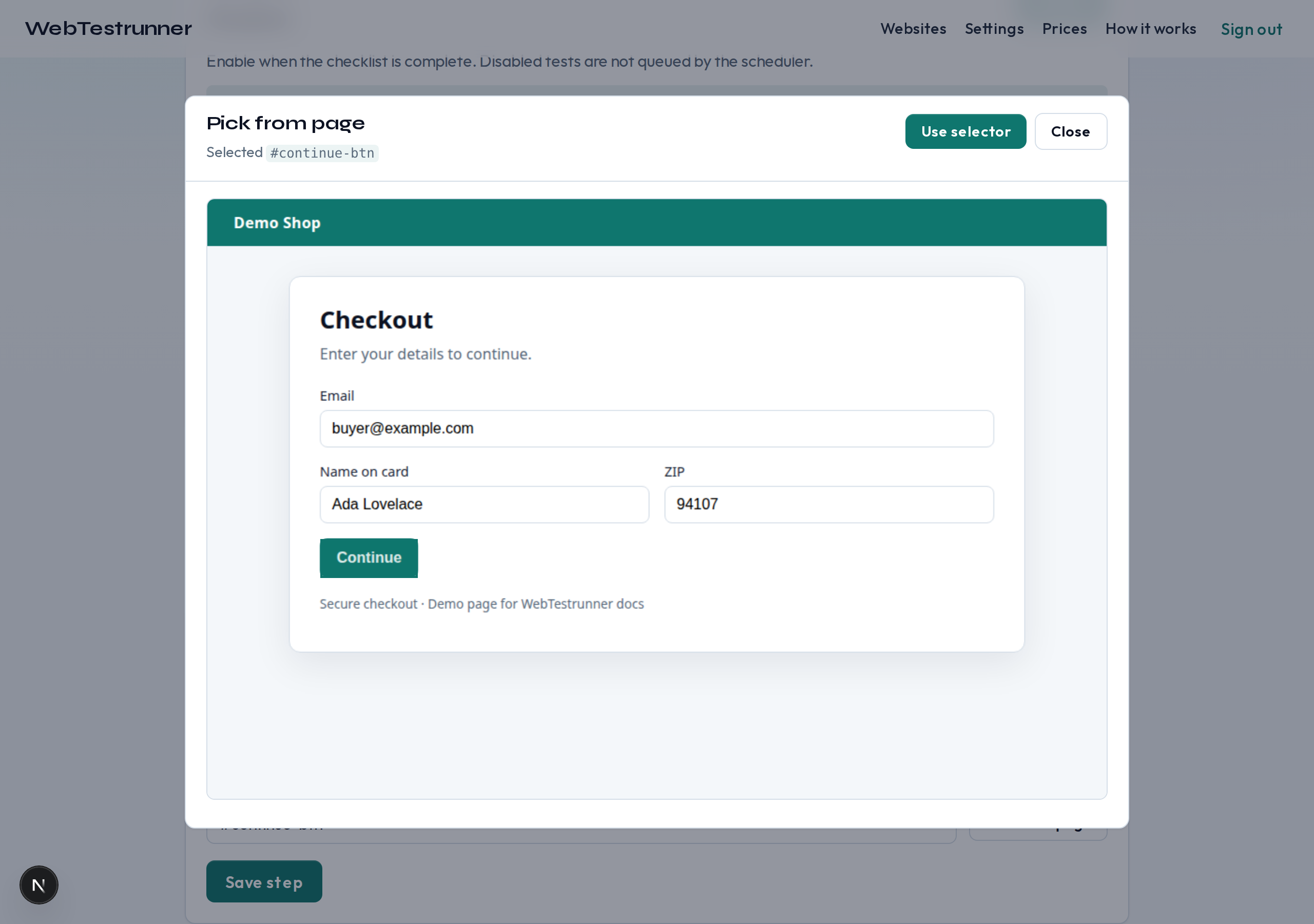
#continue-btn.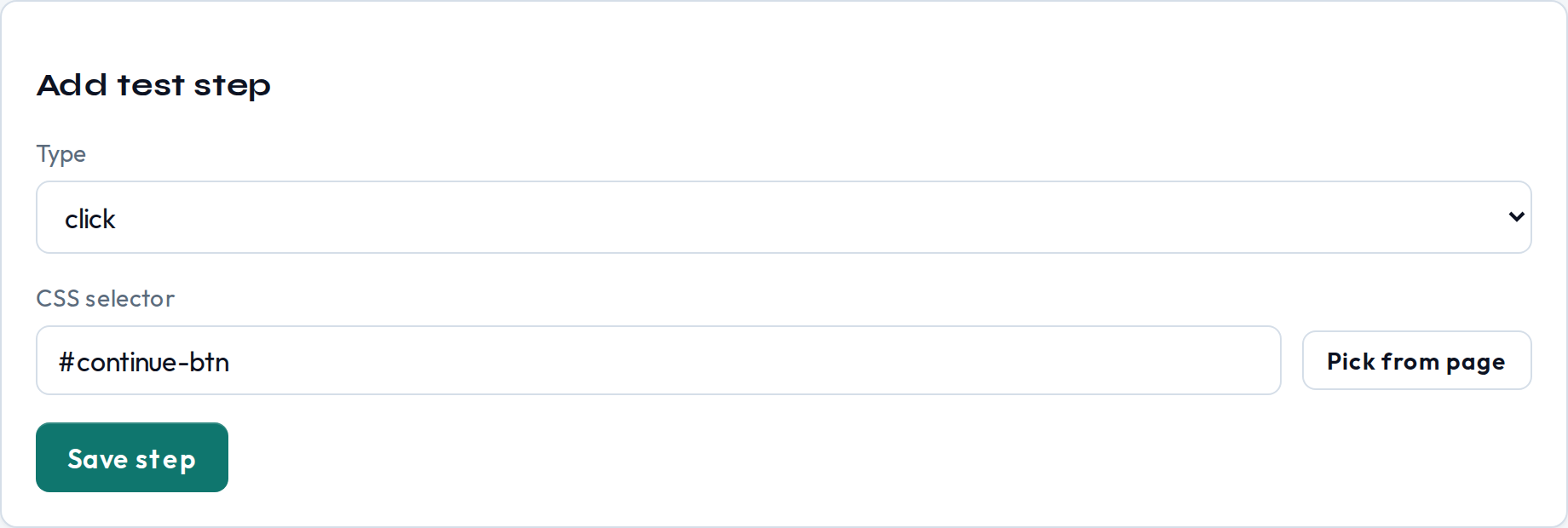
Selectors
Prefer stable selectors—roles, data attributes, or dedicated test hooks—over brittle class names that change with every redesign. The picker prefers stable attributes when it can. If a click or assertion fails, open the run detail in the dashboard to see the error and any captured screenshot.
Manual vs scheduled runs
You can trigger a run from the dashboard at any time (subject to plan concurrency limits). Scheduled runs use the cadence you set on the test. Only one active run is allowed per test at a time. To get alerted when a run fails, configure error notifications.
Next steps
Make sure the site is verified, then read schedules and plans to pick a cadence. Or open the dashboard.